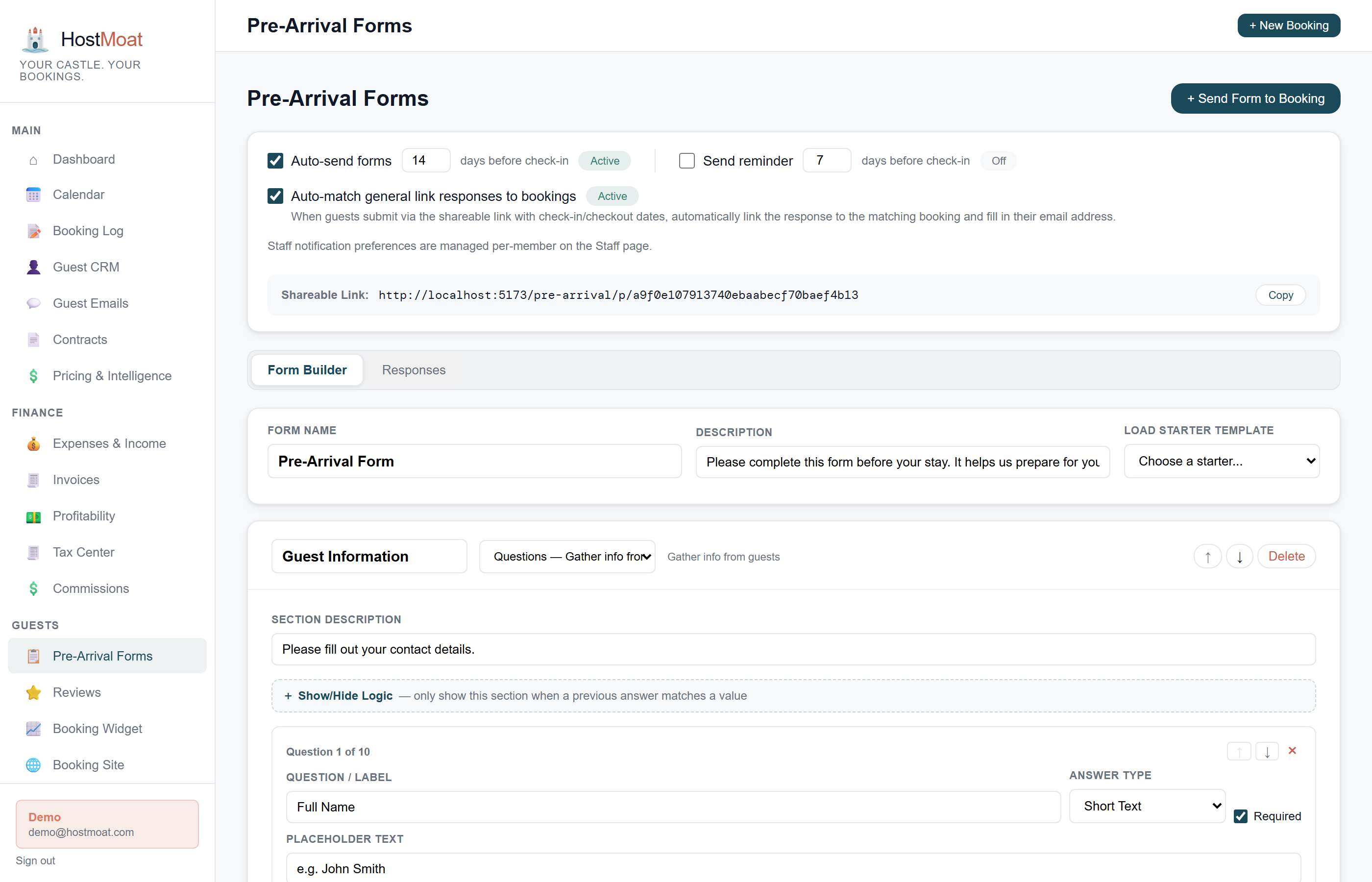
Customizable form per property
Build a different form for each property: ask for pet names at the pet-friendly cabin, request ID at the beach house, skip both for your downtown apartment.
Scheduled before arrival
The form link can be included in a pre-arrival reminder scheduled three days before check-in. Monitor delivery and follow up manually when needed.
Digital guidebook with property info
Shared credentials, access, rooms, and rules stay synced from Property Profile; custom instructions and local recommendations remain in one publishable guide.
How it works
Build your form
Build the form on the form itself: the canvas shows exactly what guests will see. Click any question to edit it in the side panel: text input, dropdown, date picker, checkbox, number, or file upload, required or optional, with conditional show/hide rules shown inline.
Form auto-emails to guest
Three days before arrival, HostMoat sends the pre-arrival email automatically with a link to complete the form. You don't do anything.
Responses save to the booking
Submitted form data attaches to the booking record. You can review it from the booking detail page at any time.
Common form fields
The most useful pre-arrival fields: estimated arrival time (so you know when to prep), pet names and count (for pet-friendly properties), special occasions (a birthday or anniversary lets you add a personal touch), dietary notes if you leave welcome snacks, and number of guests checking in. You can add any combination as separate required or optional fields.
Digital guidebook
The guidebook has its own standalone URL and QR code and can also appear from the guest portal. Essentials (Contact Info, WiFi & Access, Check-in/Checkout, Bedrooms, and House Rules) are synced summaries with Edit in Property links, so the same fact cannot drift across channels. Guidebook keeps publication, preview, visibility, order, welcome copy, and Extra Info topics such as trash day, appliance instructions, or neighborhood favorites. Custom topics support rich text, pasted or drag-dropped images, and galleries.
Frequently asked
What field types does the form builder support?
Text, dropdown, checkbox, date, number, and file upload. You can mark any field required or optional.
Can I require ID verification as an upload?
Yes. Add a required file-upload field labeled 'Government-issued ID' and guests must attach a photo before submitting.
Is the guidebook separate from the guest portal?
The guidebook lives inside the guest portal, but it also has its own shareable URL so you can link to it from anywhere or print a QR code for the unit.