Website Calendar & Booking Widgets
Add availability or complete checkout to any website.
Start 14-Day Trial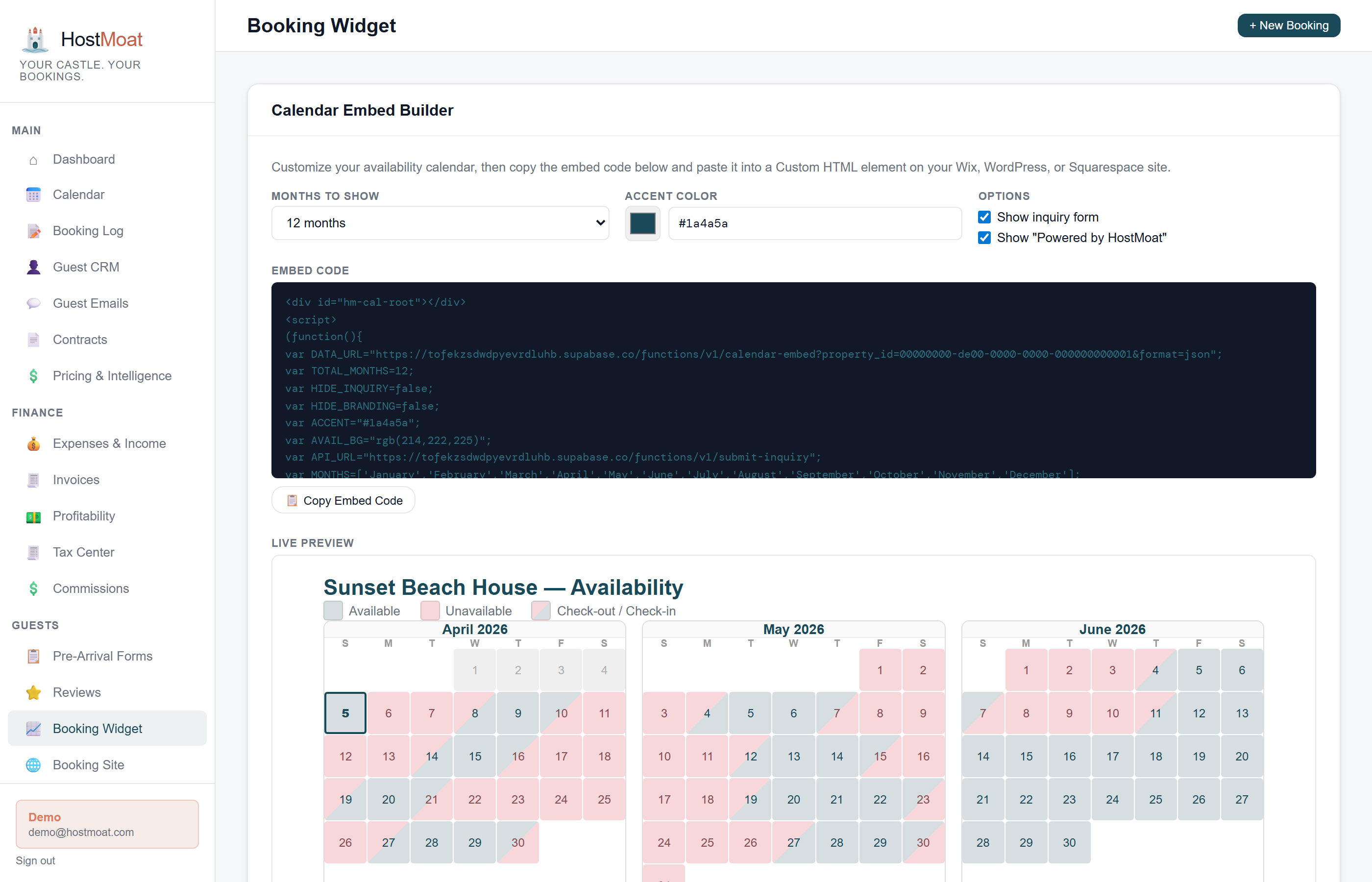
Copy-and-paste setup
Choose Calendar or Booking Checkout in HostMoat, copy the generated snippet, and paste it into an HTML block on your existing site.
Uses the HostMoat calendar
The widget reads current HostMoat availability. Direct and manual bookings update there immediately; OTA changes appear after HostMoat’s next successful iCal import.
Complete direct checkout
Pro hosts can add date selection, live pricing, guest details, and secure Stripe payment so visitors book without leaving the host's website.
Your settings stay in sync
Availability, prices, booking mode, payment rules, and accent color update from HostMoat without replacing the code on your website.
How it works
Choose a widget
Open Direct Booking → Widgets, then select the availability Calendar or complete Booking Checkout for your property.
Paste into your site
Drop the snippet into an HTML block in Squarespace, Wix, WordPress, or any site that accepts raw HTML. The widget appears immediately.
Availability stays connected
The widget reflects the HostMoat calendar. HostMoat-created bookings block dates immediately; imported platform bookings block them after the scheduled or manual iCal sync completes.
Styling and color customization
Set the calendar accent color and display options from the Calendar tab in HostMoat. Booking Checkout inherits the accent color and guest-facing settings from your Booking Site. Saved changes appear everywhere the widget is installed without copying the code again.
From inquiry to secure checkout
Use the Calendar widget for availability and lead capture, or use Booking Checkout for Request to Book or Instant Book on your own site. Checkout includes the calendar, pricing breakdown, guest details, house-rules agreement, and Stripe card payment in one isolated frame.
Frequently asked
Will the widget conflict with my website?
No. Calendar styles are scoped to the HostMoat widget, and Booking Checkout runs in an isolated HostMoat iframe, so your site's CSS and JavaScript do not interfere with the booking flow.
Can I customize the colors?
Yes. Calendar colors are configured on the Calendar tab. Booking Checkout inherits the accent color and guest-facing settings from your HostMoat Booking Site.
Can I show prices on the calendar?
Yes. Toggle 'Show nightly prices' on the Calendar tab and each available day displays its nightly rate, including seasonal pricing rules and weekend premiums.
Can guests complete payment in the widget?
Yes. Pro hosts with an enabled Request to Book or Instant Book site and connected Stripe account can add the complete checkout widget. Guests select dates, review pricing, enter their details, and securely authorize or pay without leaving your website.
Does it work on Squarespace, Wix, and WordPress?
Yes. Any platform that lets you paste raw HTML supports the widget. On Squarespace, use an Embed block. On WordPress, use an HTML block or Custom HTML widget.