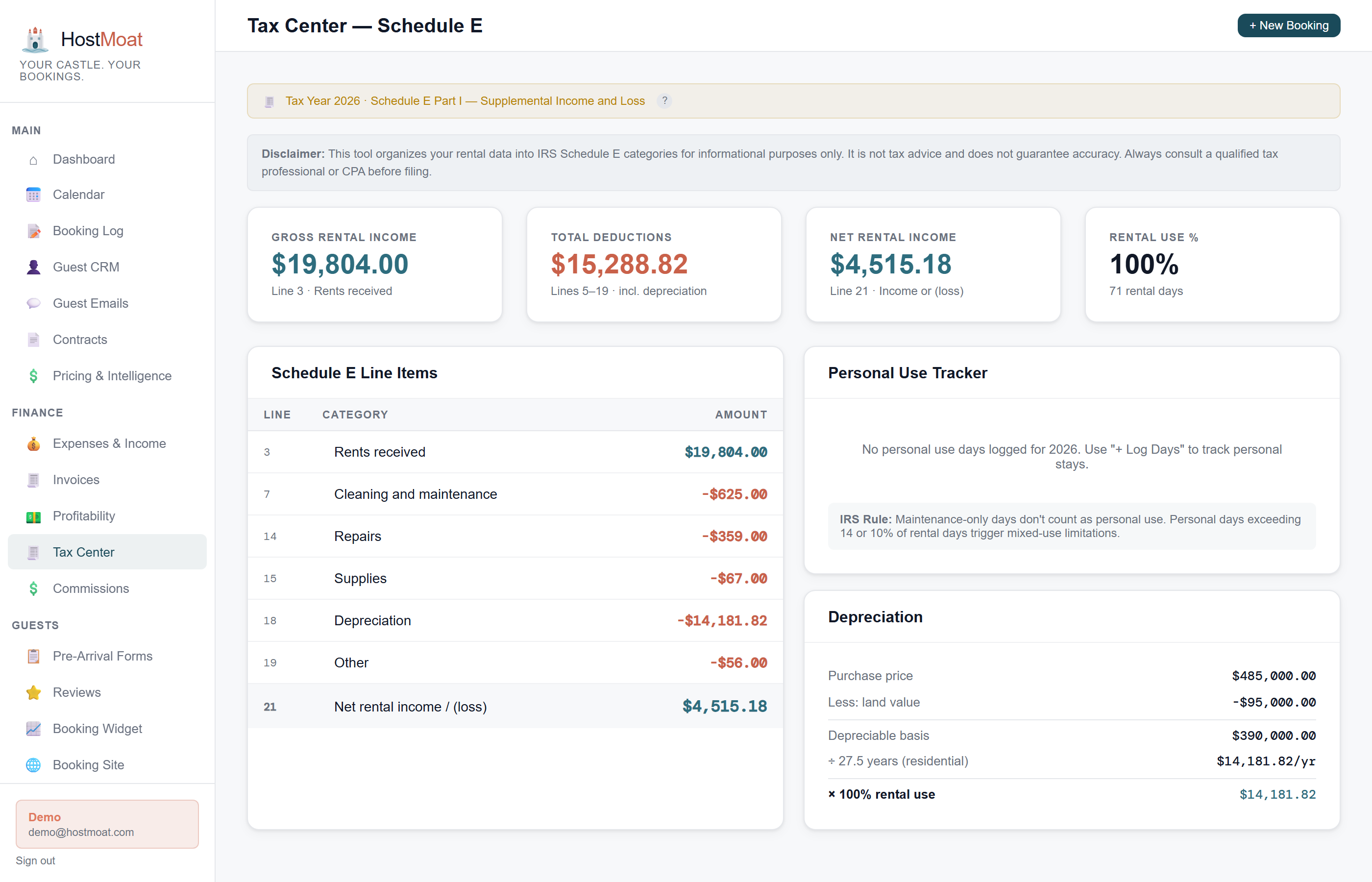
Suggested Schedule E categories
HostMoat maps supported expense categories to Schedule E lines such as Advertising, Cleaning, Repairs, and Utilities. Review every classification and export with your tax professional before filing.
Income by property, by year
See gross rental income, total expenses, and net income per property per calendar year, exactly how Schedule E Part I needs it.
Depreciation-ready estimates
Save purchase price, land value, and placed-in-service date for a mid-month building depreciation estimate, with rental-use allocation and a warning when manual depreciation may overlap.
How expense categories map to Schedule E
HostMoat's expense categories align directly with IRS Schedule E Part I: Advertising maps to Line 5, Cleaning and Maintenance to Line 7, Insurance to Line 9, Repairs to Line 14, Taxes to Line 16, Utilities to Line 17, and Management Fees to Line 11. When you export a CSV, the Schedule E line number is included so your accountant can copy values in without translating anything.
Per-property P&L, ready to export
The Tax Center shows a property-level annual breakdown: rental income, each expense category, rental-use allocation, and net income. Download the CSV for your accountant or use it as source data while preparing the return in your tax software.
Frequently asked
Does this replace my accountant?
No. HostMoat prepares and organizes the data. Your accountant or tax software still files the return. They just spend a lot less time on data gathering.
Does the Schedule E export work for an LLC?
The export organizes property-level rental records, but the return and form path depends on the LLC’s tax classification, ownership, and elections. Give the export to your tax professional rather than assuming every LLC files the same way.
Does it handle 1099 generation for cleaners?
Not yet. 1099 generation is on the roadmap but not currently supported.