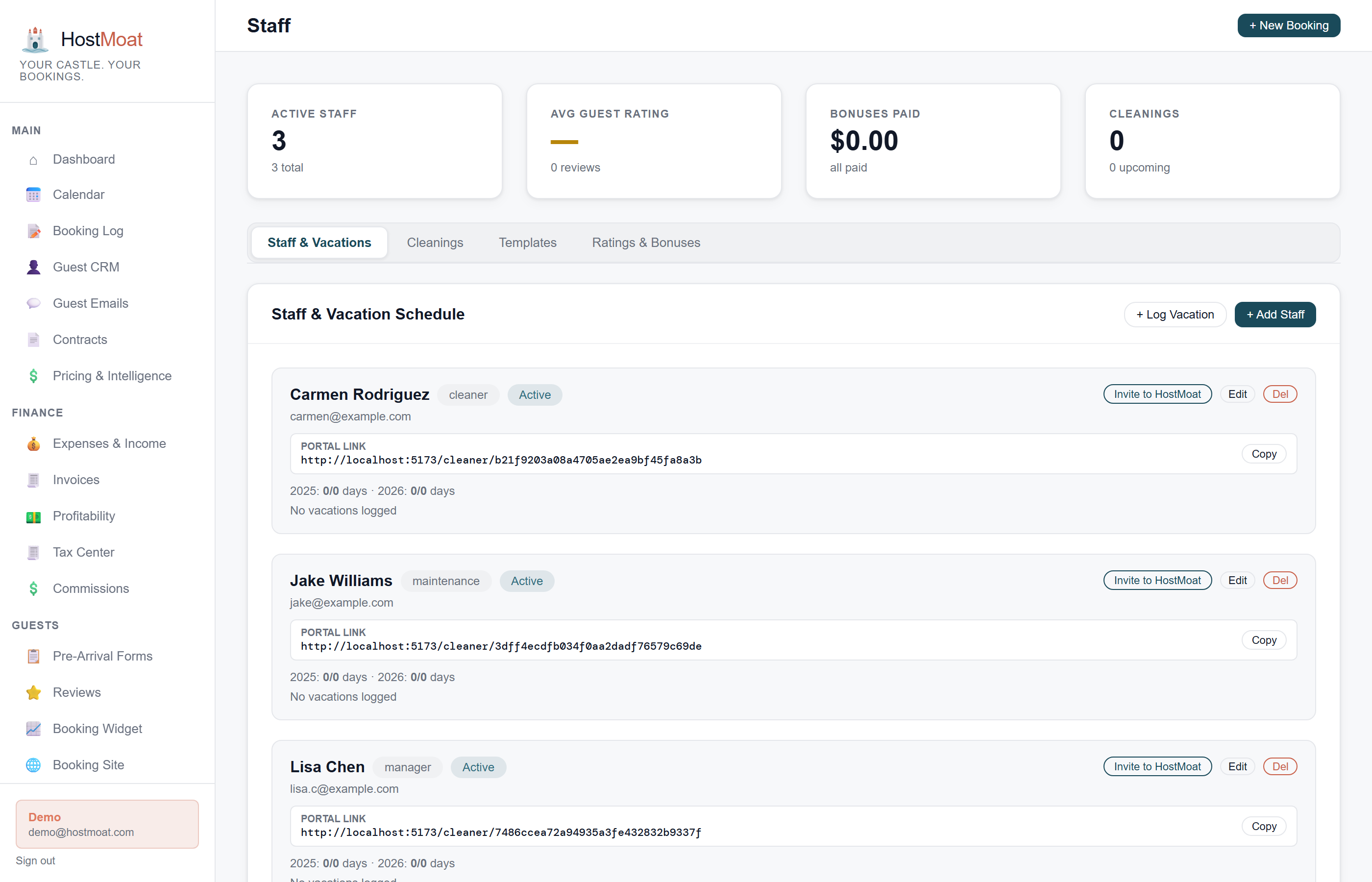
Token URL login, no account needed
Cleaners get a unique shareable link. They open it on their phone, see their upcoming turnovers, and mark jobs complete: no registration, no password.
Photo-confirmed turnover completion
Staff upload photos when marking a job complete. You see the confirmation and photos in your dashboard before the next guest arrives.
Commission splits per co-host
Set a percentage per team member and HostMoat calculates each person's cut per booking. See cumulative commission totals by month for easy payouts.
Cleaner portal
The cleaner portal shows every upcoming turnover auto-generated from your bookings: date, checkout guest, check-in guest, and estimated duration. Staff update job status through a simple workflow: Scheduled → In Progress → Complete. When they mark complete, they can attach photos and leave notes. You see everything update in your HostMoat dashboard in real time.
Role-based team access
Owner sees billing, all properties, and all data. Manager sees everything except billing and can edit bookings, send contracts, and manage staff. Cleaner role sees only the turnover schedule: no booking financials, no guest contact info beyond what they need for the job. Assign roles per property, not globally.
Frequently asked
Do cleaners need to create an account?
No. Each staff member gets a unique token URL that works without login. You can revoke or regenerate the token at any time.
Can I limit what cleaners see?
Yes. The Cleaner role restricts access to the turnover schedule only: no booking revenue, no guest payment info, no property financials.
How are commissions paid out?
HostMoat tracks the splits and totals. Actual payment (bank transfer, check, whatever you use) happens outside the platform.