Contracts & E-Signing
Agreements, signatures, PDFs, and optional payment follow-up.
See pricing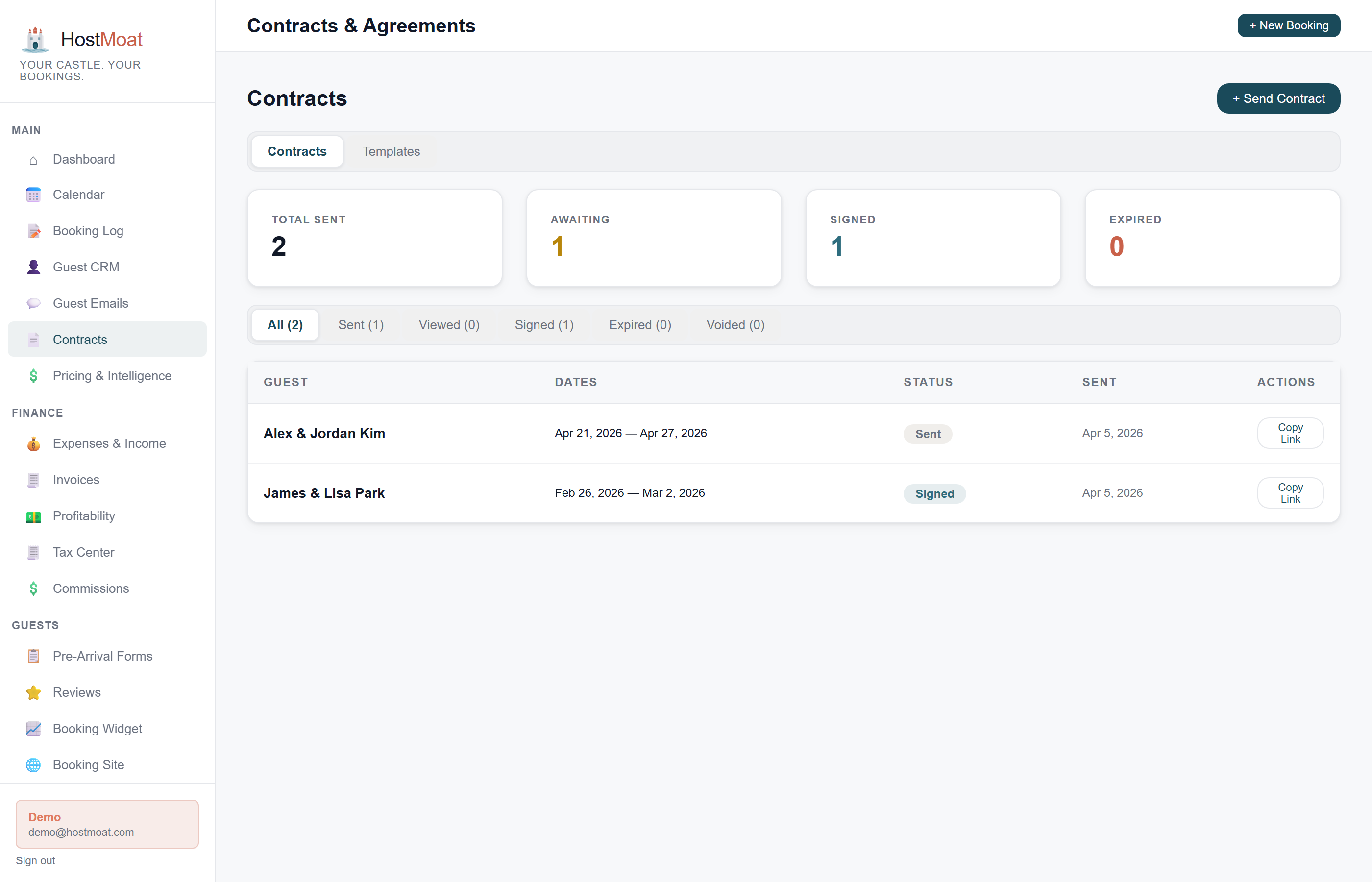
Pre-built rental agreement template
Start with a ready-to-use rental agreement covering the basics (occupancy limits, cancellation policy, house rules) and customize from there.
Custom fields per contract
Add any clause, question, or acknowledgment as a custom field. Responses are stored on the contract and exportable.
Optional auto-invoice on signing
When enabled for a contract, signing creates the configured invoice workflow and sends its Stripe payment link.
Download signed contracts as PDF
After a guest signs, save a permanent PDF copy of the agreement straight from the Contracts page or any booking, no third-party signing service needed.
How it works
Pick a template and customize
Select the standard rental agreement, fill in the guest name, dates, and property details, and the contract template populates the rest automatically.
Guest signs via unique link
HostMoat sends the contract by email. The guest signs on any device (phone, tablet, or desktop) with a click and typed name.
Optional invoice workflow begins
If auto-invoicing was enabled when the contract was sent, signing creates the configured deposit invoice and scheduled balance from the booking amounts.
Payment method on file for incidentals
When sending a contract, you can optionally require a guest to save a card or bank payment method without charging it for the booking. If a documented post-stay charge is needed, the owner enters an amount and reason from the signed contract record; this is not a pre-authorized card hold.
Signature audit trail
Every signed contract preserves the signed agreement with available audit details such as signing time and request metadata. Download the signed PDF from the contract or booking record when you need an offline copy.
Frequently asked
Does HostMoat preserve electronic-signature evidence?
Yes. HostMoat stores the signed agreement and its audit details. Enforceability depends on the agreement, disclosures, jurisdiction, and facts, so use a locally appropriate template and consult counsel for legal advice.
Can I include my own custom clauses?
Yes. Edit the template body directly or add custom fields for specific acknowledgments, pet policies, or anything else you need guests to confirm.
Can I add one-off terms to a single contract without changing the template?
Yes. The Send Contract modal includes an Additional Terms textarea: anything you type there is added to that contract only. If your template uses the {{additional_terms}} merge field the text drops in at that spot; otherwise it's appended to the end of the agreement. Great for early arrivals, special access notes, or per-stay charges that don't belong in your reusable template.
What happens if a guest refuses to sign?
The booking stays in draft status. You can send a reminder, extend the signing deadline, or cancel the booking. Your call.